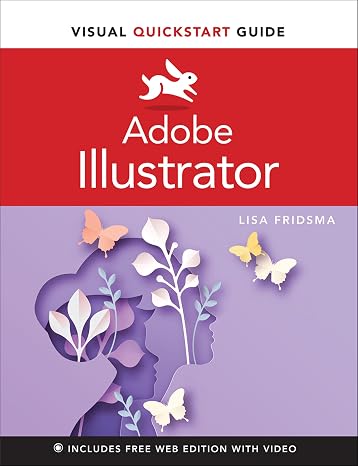
Adobe Illustrator Visual QuickStart Guide
Learn Adobe Illustrator with the Visual QuickStart Guide―the quick and easy way!
Adobe Illustrator Visual QuickStart Guide
รายการ #: 44285533

Adobe Illustrator Visual QuickStart Guide

รายการ #: 44285533

THB 1953

รายละเอียดราคา

ไม่รวมค่าจัดส่งและค่าธรรมเนียมศุลกากร ( ค่าจัดส่งและค่าธรรมเนียมศุลกากรจะคำนวณตอนชำระเงิน )

*สินค้าทั้งหมดจะนำเข้าจาก สหรัฐอเมริกา

มีสินค้า
สหรัฐอเมริกา นำเข้าจาก USA ร้านค้า
สั่งซื้อตอนนี้และรับสินค้าประมาณ วันพฤหัสบดี, กันยายน 17
พันธมิตรด้านโลจิสติกส์ชั้นนำของเรา
  • fedex
  • dhl
Learn Adobe Illustrator with the Visual QuickStart Guide―the quick and easy way!
การรับประกัน U-Care:
ยังไม่ได้เลือก
เลือกแผน
fast shipping

Fast
Shipping

free return

คืนสินค้าฟรี*

แพ็คสินค้าอย่างปลอดภัย

แพ็คสินค้าอย่างปลอดภัย

สินค้าแท้ 100%

สินค้าแท้ 100%

pci-dss

ผ่านมาตรฐาน PCI DSS

iso certified

ได้รับการรับรอง ISO 27001


paypal payment
visa payment
mastercard payment
american express payment
bank transfer thailand payment
k plus payment
cenpay payment
boonterm kiosk payment
thai qr payment
big c payment
true money wallet payment
rabbit line pay payment
Note: Step Down Voltage Transformer required for using electronics products of สหรัฐอเมริกา store (110-120). Recommended power converters ซื้อเลย.

จุดเด่น

User-Friendly Approach
The Visual QuickStart Guide provides a straightforward, step-by-step method that simplifies mastering Adobe Illustrator, making it accessible for beginners and efficient for seasoned users.
Comprehensive Content
Covers foundational techniques and advanced features in Illustrator, ensuring users can fully exploit the software’s capabilities, which helps professionals enhance their design skills.
Visual Learning Focus
Utilizes visual aids and examples throughout the guide, catering to visual learners and enabling quicker comprehension and application of complex design concepts.

รายละเอียดสินค้า

Shop Adobe Illustrator Visual QuickStart Guide online at a best price in ประเทศไทย. 0137597746
  • Visual QuickStart Guide for learning Adobe Illustrator quickly and easily
  • Includes free Web Edition with 40+ videos to enhance learning experience
  • Covers navigation, document setup, drawing tools, appearance attributes, and artwork saving and exporting
  • Provides concise steps, explanations, and visual approach to guide users
  • Suitable for both experienced designers and newcomers
  • Offers best content and value in a page for page comparison
Publisher Peachpit Press
Publication date April 7, 2022
Edition 1st
Language English
Print length 320 pages
ISBN-10 0137597746
ISBN-13 978-0137597741
Item Weight 1.32 pounds (600 grams)
Dimensions 7 x 0.7 x 9.1 inches (17.8 x 1.8 x 23.1 cm)

เหมาะสำหรับใคร?

Suitable For
  • Beginner Designers

    Ideal for novice designers seeking a straightforward introduction to Adobe Illustrator and its core functionalities.

  • Students

    Perfect for students studying graphic design who need a practical guide to learn Illustrator quickly and effectively.

  • Self-Learners

    Beneficial for self-taught individuals who prefer a hands-on approach to familiarize themselves with the software efficiently.

Not Suitable For
  • Advanced Users

    Not suitable for experienced designers looking for in-depth techniques or complex features beyond basic Illustrator functions.

ข้อมูลผลิตภัณฑ์

Adobe Illustrator Visual QuickStart Guide

About This Item

Looking to master Adobe Illustrator? Look no further than the Adobe Illustrator Visual QuickStart Guide 1st Edition. This comprehensive guide is perfect for beginners and experienced users alike who want to take their design skills to the next level. Whether you're a graphic designer, illustrator, or just someone looking to create beautiful digital artwork, this guide has got you covered. With step-by-step instructions and easy-to-follow screenshots, you'll be creating stunning visuals in no time. The Adobe Illustrator Visual QuickStart Guide covers everything you need to know to get started, from the basics of creating shapes and lines to advanced techniques like working with gradients and effects.

You'll learn how to create logos, icons, illustrations, and even complex artworks with ease. This first edition of the guide is packed with valuable information that will help you unleash your creativity. It also includes updated content and new features specific to Adobe Illustrator 1st Edition, ensuring that you're getting the most accurate and relevant information available. Why struggle to figure out Adobe Illustrator on your own when you can have the Adobe Illustrator Visual QuickStart Guide as your trusted companion? Order yours today and start creating stunning designs with confidence. Keywords: Adobe Illustrator Visual QuickStart Guide, 1st Edition, Adobe Illustrator, Visual QuickStart, graphic designer, illustrations, digital artwork, logos, icons, step-by-step instructions, screenshots, gradients, effects, beginners, experienced users.

มีข้อสงสัย? คุยกับเรา

คำถามและคำตอบของลูกค้า

  • คำถาม: What topics are covered in the Adobe Illustrator Visual QuickStart Guide 1st Edition?

    คำตอบ: The Adobe Illustrator Visual QuickStart Guide 1st Edition covers a range of essential topics from the basics of using the software to more advanced design techniques. It includes sections on creating and manipulating vector graphics, working with text, and utilizing layers and effects. This guide is ideal for beginners as it breaks down complex concepts into digestible sections, making it easier to understand how to navigate the Illustrator interface and utilize its features effectively.
  • คำถาม: Who is the target audience for the Adobe Illustrator Visual QuickStart Guide 1st Edition?

    คำตอบ: The target audience for this guide includes graphic design students, amateur artists, and professionals looking to enhance their skills in Adobe Illustrator. It’s designed for those who might be new to the software or looking for quick tips to improve their workflow. Whether you are starting your design career or need a handy reference to refine your existing skills, this guide serves various experience levels and will help you become proficient in creating stunning graphics.
  • คำถาม: Is the Adobe Illustrator Visual QuickStart Guide suitable for Mac and Windows users?

    คำตอบ: Yes, the Adobe Illustrator Visual QuickStart Guide 1st Edition is suitable for both Mac and Windows users. The guide provides clear instructions that apply to both operating systems, ensuring all users can benefit from its content. This inclusivity makes it an excellent resource for design students and professionals in diverse environments, allowing them to follow along regardless of the platform they are using.
  • คำถาม: Are there practical exercises included in the Adobe Illustrator Visual QuickStart Guide?

    คำตอบ: Yes, the guide includes practical exercises to help reinforce the concepts learned. Each chapter typically ends with projects that allow readers to apply what they have learned in a hands-on manner. These exercises promote active learning and are beneficial for users who gain more from practical application rather than just theoretical understanding, making the guide an invaluable tool for mastering Illustrator quickly.
  • คำถาม: How does the visual format of the Adobe Illustrator Visual QuickStart Guide benefit learners?

    คำตอบ: The visual format of the Adobe Illustrator Visual QuickStart Guide is particularly beneficial as it uses a combination of screenshots, diagrams, and concise explanations to enhance comprehension. This approach helps visual learners grasp the operational aspects of Illustrator more readily than text-heavy resources. Additionally, having visual aids allows users to follow step-by-step processes easily and clarify any confusing instructions, streamlining the learning experience.
  • คำถาม: Is this guide updated for the latest version of Adobe Illustrator?

    คำตอบ: The Adobe Illustrator Visual QuickStart Guide 1st Edition is designed to cover the foundational aspects of Illustrator, focusing on essential tools and techniques that remain relevant across versions. While it may not include the very latest features in Adobe Illustrator, the core principles taught are applicable and provide a solid base from which users can explore updates. For the best experience, users may want to supplement the guide with online resources to familiarize themselves with new features.
  • คำถาม: Can I use the Adobe Illustrator Visual QuickStart Guide for self-study?

    คำตอบ: Absolutely! The Adobe Illustrator Visual QuickStart Guide is an excellent resource for self-study. Its structured layout and straightforward explanations allow readers to learn at their own pace and revisit sections as needed. This makes it ideal for independent learners and those balancing busy schedules, as they can choose specific topics according to their interests and skill levels.
  • คำถาม: Does the Adobe Illustrator Visual QuickStart Guide provide tips for best practices?

    คำตอบ: Yes, the guide includes numerous tips for best practices throughout its chapters. These best practices focus on efficiency, design principles, and optimizing workflow in Adobe Illustrator. Such insights are crucial for ensuring that users not only learn the software but also develop professional skills that can enhance their design projects and artistic output.
  • คำถาม: Where can I find additional resources to complement the Adobe Illustrator Visual QuickStart Guide?

    คำตอบ: Additional resources can be found in online forums, tutorial websites, and Adobe's official support page. Websites like Udemy and LinkedIn Learning offer video courses that complement the written content of the guide. Engaging with communities on platforms like Reddit can also provide further support, tips, and real-time assistance as you navigate Adobe Illustrator and work through the guide.
  • คำถาม: Where can I buy the Adobe Illustrator Visual QuickStart Guide 1st Edition?

    คำตอบ: You can buy the Adobe Illustrator Visual QuickStart Guide 1st Edition at Ubuy in Thailand. Ubuy is a reliable e-commerce platform that stocks a wide range of books and guides, ensuring you can find the specific edition you need. Shopping through Ubuy offers a convenient way to receive this valuable resource for your design journey.

Adobe Illustrator Editorial Review

ไม่พบรีวิวจากกองบรรณาธิการ

ความคิดเห็นและคะแนนจากลูกค้า

1 การให้คะแนนของลูกค้า
  • 5 ดาว
    100%
  • 4 ดาว
    0%
  • 3 ดาว
    0%
  • 2 ดาว
    0%
  • 1 ดาว
    0%

แบ่งปันความคิดของคุณกับลูกค้าท่านอื่น

แชร์ความคิดของคุณกับลูกค้ารายอื่น

ข้อดี

  • Comprehensive and user-friendly layout
  • Clear explanations of tools
  • Practical examples included
  • Visual learning aids enhance retention
  • Great for beginners and intermediates

ข้อเสีย

  • Limited advanced topics coverage

ความน่าเชื่อถือของแพลตฟอร์ม

trustpilot logo
4.2/5 9250 + reviews
อ่านรีวิว
MA
Mohammad
ผู้ซื้อที่ยืนยันแล้ว

“Excellent quality and original too,when ubuy send original things I will appreciate that ,I very satisfied thank you”

23 July 2026 · ผ่าน Trustpilot
CK
Chitra
ผู้ซื้อที่ยืนยันแล้ว

“The order and delivery progress was communicated very well. Package arrived within the estimated time. Products arrived as expected in good condition.”

22-Jul-26 · ผ่าน Trustpilot
K
kund
ผู้ซื้อที่ยืนยันแล้ว

“Good supply of products. Safe payment methods, and shipment worldwide! Genuine products.”

23-Jul-26 · ผ่าน Trustpilot
OO
Onesi
ผู้ซื้อที่ยืนยันแล้ว

“Was my first time buying a product from Ubuy, but I found it so helpful. This is reliable. Gonna place a new order!”

22 July 2026 · ผ่าน Trustpilot
SJ
SAO JOHN
ผู้ซื้อที่ยืนยันแล้ว

“Ubuy is a great online platform to buy stuff. Reliable, fast delivery time and great value for money. I've been using Ubuy online shopping platform for three years now and will continue to do so.”

23 July 2026 · ผ่าน Trustpilot
การชำระเงินที่มั่นใจได้ จัดส่งทั่วโลก การคืนสินค้าที่ง่ายดาย สินค้าของแท้

ประวัติราคาสินค้า

ข้อมูลสำคัญ

  • ข้อจำกัด: สำหรับสินค้าที่จัดส่งระหว่างประเทศ โปรดทราบว่าการรับประกันจากผู้ผลิตอาจไม่มีผลบังคับใช้ บริการหลังการขายจากผู้ผลิตอาจไม่สามารถใช้งานได้ คู่มือผลิตภัณฑ์ คำแนะนำการใช้งาน และคำเตือนด้านความปลอดภัยอาจไม่ได้จัดทำเป็นภาษาของประเทศปลายทาง สินค้า (รวมถึงเอกสารประกอบ) อาจไม่ได้ออกแบบให้สอดคล้องกับมาตรฐาน ข้อกำหนด และข้อบังคับด้านฉลากของประเทศปลายทาง และสินค้าอาจไม่สอดคล้องกับแรงดันไฟฟ้าและมาตรฐานทางไฟฟ้าอื่น ๆ ของประเทศปลายทาง (ซึ่งอาจต้องใช้ปลั๊กแปลงไฟหรือเครื่องแปลงแรงดันไฟฟ้าตามความเหมาะสม) ผู้รับสินค้ามีหน้าที่รับผิดชอบในการตรวจสอบว่าสินค้าดังกล่าวสามารถนำเข้าประเทศปลายทางได้อย่างถูกต้องตามกฎหมาย เมื่อสั่งซื้อสินค้าจาก Ubuy หรือบริษัทในเครือ ผู้รับสินค้าจะถือเป็นผู้นำเข้าตามกฎหมาย (Importer of Record) และต้องปฏิบัติตามกฎหมายและข้อบังคับทั้งหมดของประเทศปลายทาง
  • ผลิตภัณฑ์บางรายการใน Ubuy ไม่ได้มีไว้เพื่อขาย เนื่องจาก Ubuy เป็นเครื่องมือค้นหาระดับโลก ผลิตภัณฑ์อยู่ภายใต้กฎระเบียบด้าน การส่งออก/การค้า